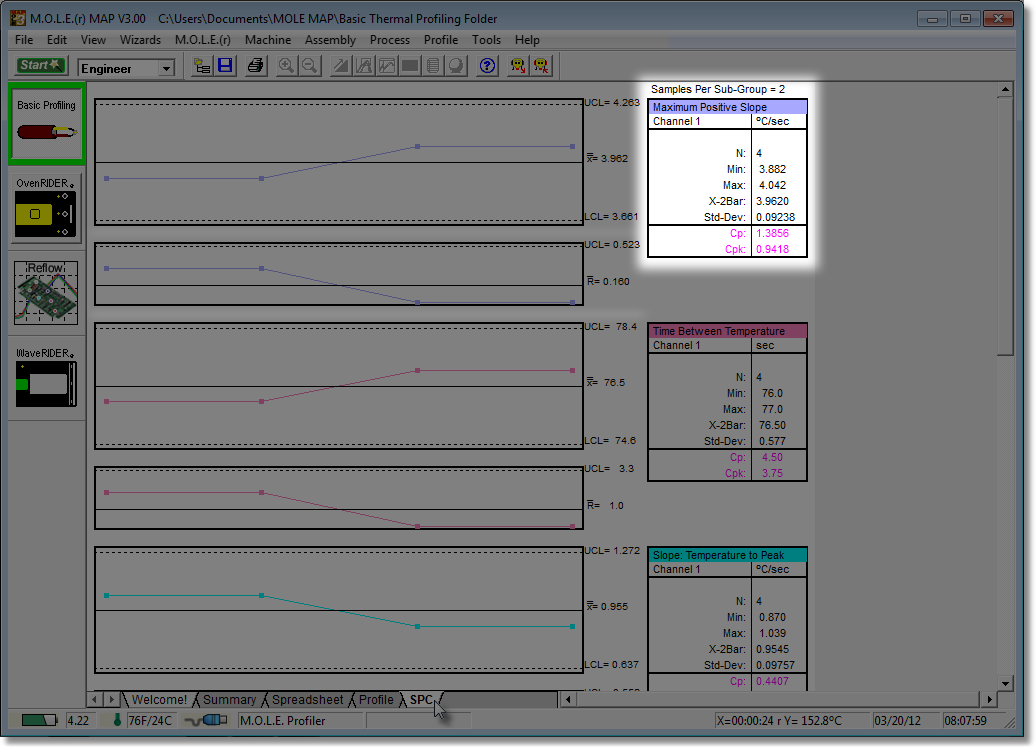
The Statistics Box reflects the current SPC data from the selected, sorted and filtered data set parameter.
Statistics box data:
•N = Number of subgroups.
•Min. = The lowest data point on the graph.
•Max. = The highest data point on the graph.
•X-2 bar = The current X-Bar Bar calculation.
•Std. Dev. = The Standard Deviation of the selected parameter.
•Cp; Cpk = Process capability indeces (Refer to topic Statistical Process Control (SPC) Background for more information).